Find sensitive files before they become your next problem.
Anva Defender runs close to your storage, documents, and audit logs so you can find PII/PHI, work with customer information, and review system activity without sending private files to big tech AI clouds.
Which folders contain sensitive customer information?
Most AI tools ask you to upload the exact files your business is afraid to expose. Anva starts where those files already live.
Answer the questions that block private AI adoption.
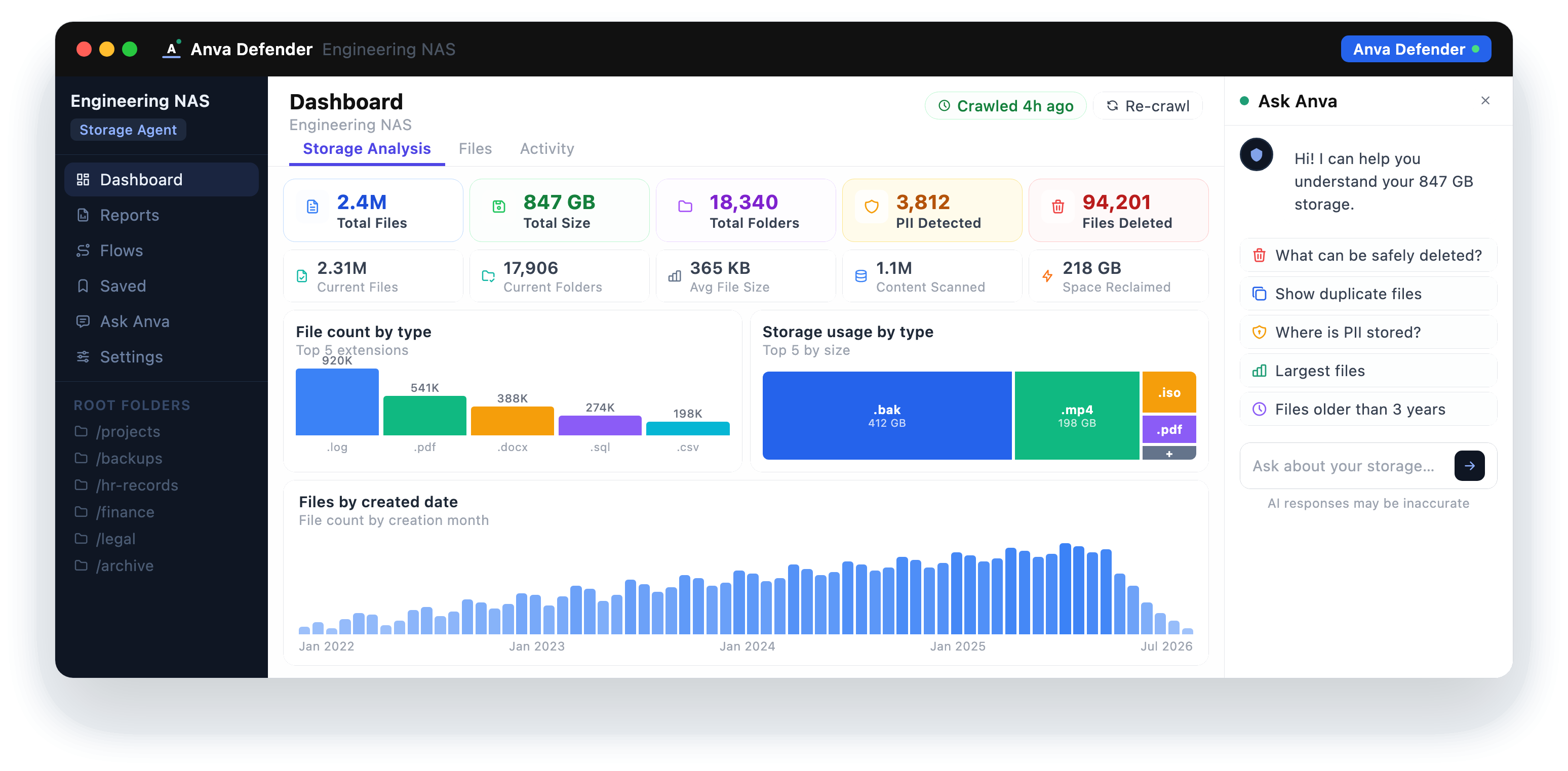
Point Anva at local folders, drives, exports, or office storage and see where sensitive customer, employee, and patient information may be hiding.
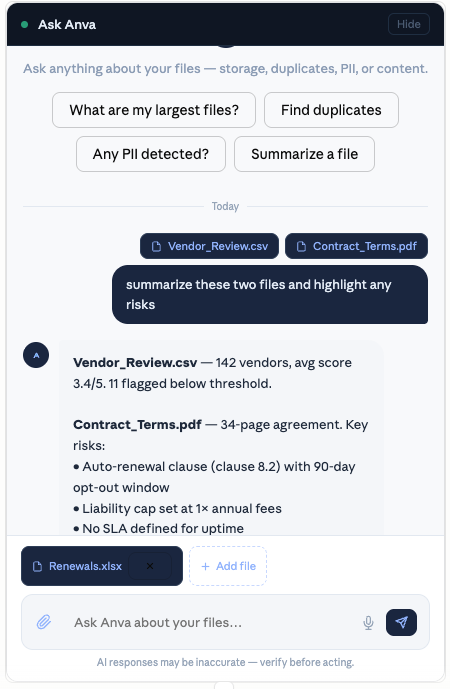
Write, translate, summarize, and analyze sensitive documents while keeping the source material under your control.
Review audit logs from agentic and non-agentic systems so suspicious activity, tool use, and data access are easier to explain.
Three Anva Defender apps that create a reason to call.
Storage Analyzer
Scan local drives and folders to find PII and PHI, locate risky files, identify stale content, and understand what should be reviewed first.
Ask for a storage scan walkthroughDoc Writer and Analyzer
Write, translate, summarize, and analyze sensitive customer information without sending source documents to outside AI services.
Discuss document workflowsAudit Log Analyzer
Review audit logs for agentic and non-agentic systems, summarize activity, and spot suspicious or unusual behavior inside your environment.
Talk about audit logsBring one folder, one document workflow, or one audit log problem.
Anva Defender Apps
Use Anva on a personal device to find sensitive files, work with private customer documents, and inspect audit logs without uploading source material.
Book a Defender callAnva Server
Bring Anva AI capabilities to your office network for small businesses, in-house teams, and enterprises that need shared private AI close to sensitive company information.
Talk about Anva ServerSame private AI, built for a small business or office network.
Anva Server gives teams a shared private AI layer inside the network. Admins control access, teams use a shared private index, and sensitive documents, logs, and chatbot context stay out of the cloud.
Domain chatbots trained on the knowledge you approve.
Configure Anva Chatbot for legal, healthcare, education, operations, internal support, or any specialized workflow. It answers from approved files and domain context while keeping private knowledge inside your environment.
- Connect approved documents and knowledge sources
- Configure the chatbot for a specific team or domain
- Keep private context inside your device or network
Your files stay inside your environment.
Anva AI is designed around a simple promise: sensitive work should happen close to the files. The model runs locally, the index stays local, and your original files remain under your control.
- No training on your documents
- No file uploads to big-tech AI clouds
- Local storage review, document assistance, and audit log summaries
- Built for individuals, teams, and on-prem deployments
Best first calls are with teams that already have sensitive files everywhere.
Legal and contracts
Review terms, obligations, renewal clauses, and policy language without exposing client or company documents.
Finance and operations
Review invoices, statements, customer records, and operational files that should not leave your machine.
Healthcare and personal records
Find PHI, summarize sensitive notes, and review records locally, keeping personal context out of third-party AI systems.
Internal knowledge
Ask questions across reports, SOPs, audit logs, and team documents while keeping institutional knowledge contained.
Show us the sensitive-file problem you want solved.
Send a few details and we will follow up to schedule a 20-minute walkthrough. Bring a storage, document, or audit-log problem you cannot safely upload to cloud AI.